Choose your access method
Open the file service directly in your browser or install ECU Workstation and sign in with the same user account.
File service for workshops · tuners · partners
Original file, vehicle data, job, project chat, credits and result remain exactly where they belong: together in your file-service account. Start directly in your browser – no installation required – or use ECU Workstation on Windows. Both access methods stay in sync.
One user account · shared jobs, files, chats, credits and status · in your browser or on Windows
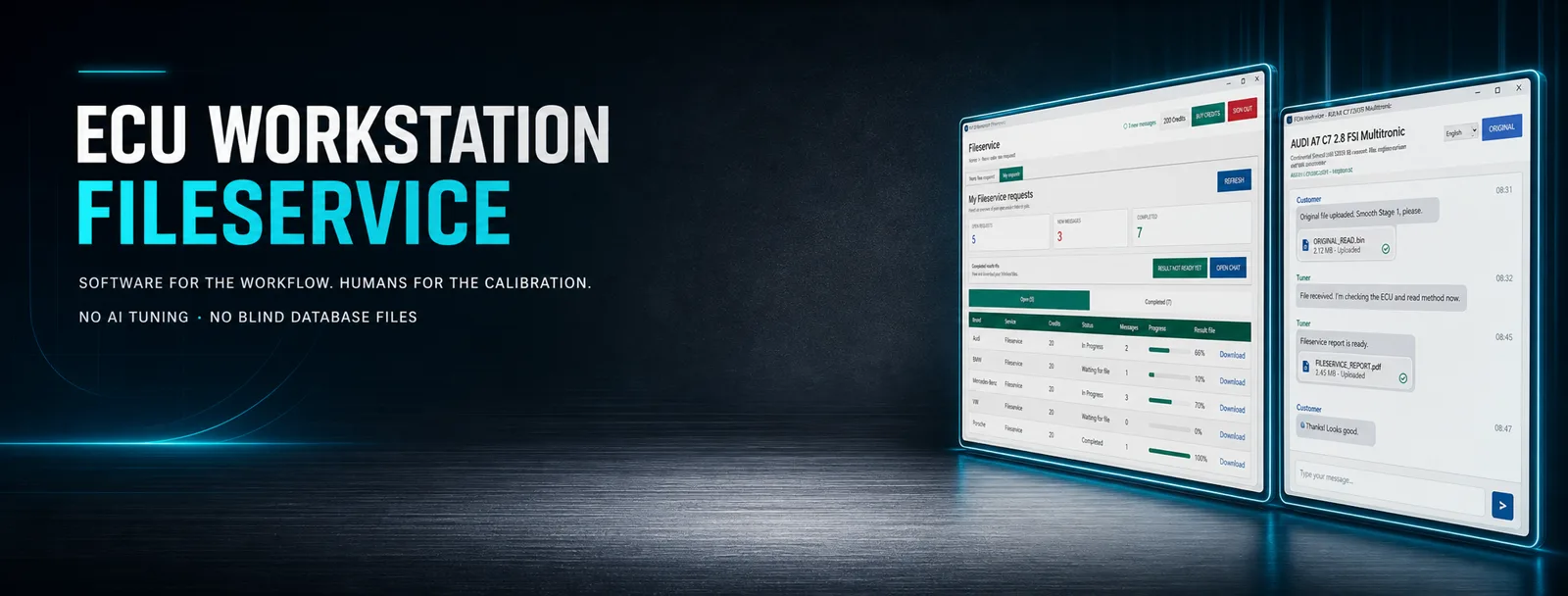
From original file to result
Every piece of information stays with the correct job. This reduces questions, prevents mixed-up files and makes the current status transparent to you.
Open the file service directly in your browser or install ECU Workstation and sign in with the same user account.
Record make, model, engine, year and ECU or TCU data clearly.
Have the unmodified read file, read method and important hardware and software data ready.
Describe the requested variant and technical details clearly, then upload the file.
Questions, attachments and clickable web links remain assigned to the job in project chat.
After completion and approval, the modified file is available centrally in the corresponding job.
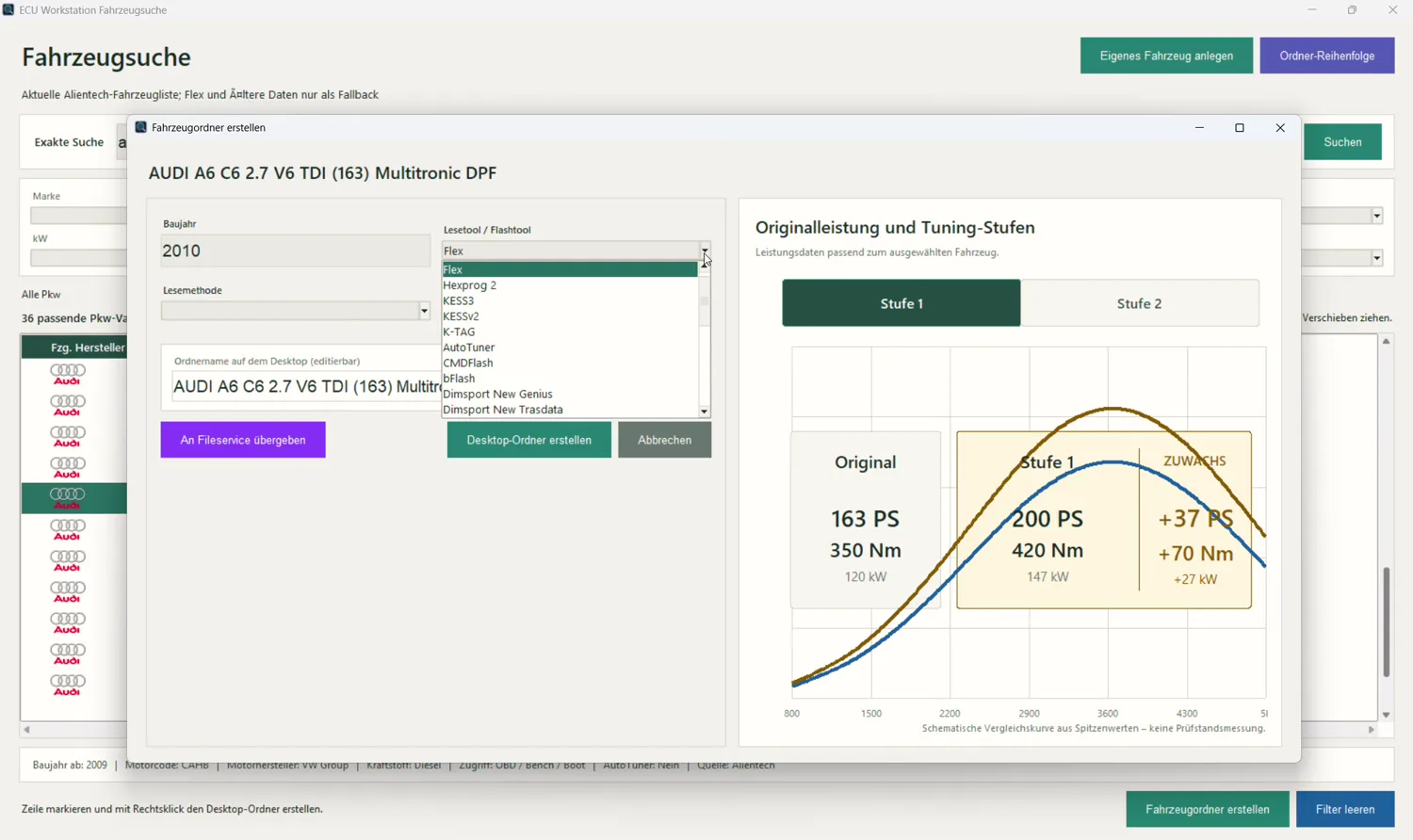
File service in the browser and workstation
The online portal and ECU Workstation use your account to access the same jobs, vehicle data, files, chats, credits and status information. Start in the browser and continue in the Windows app whenever needed.
Open file service online →Vehicle, selected variant, status and result stay together and easy to find.
The original file and approved result remain assigned to the correct job.
Messages can be selected, while web links open in the chosen default browser.
New messages are clearly announced at startup or while the application is in use.
The current processing status remains visible in the job overview.
The approved result is available for download directly in the project.
Our principle
We do not supply automatically generated ready-made files that are transferred to a vehicle without professional review. Your job is reviewed and handled by a person using the submitted vehicle, control-unit and file data.
Vehicle, ECU or TCU, hardware, software and read method are considered together.
If information is missing or a file is ambiguous, the job is not processed blindly.
Feasibility and the requested application are assessed professionally before delivery.
Buy credits flexibly
Credits can be paid for with supported credit and debit cards through Stripe or, as before, through PayPal. The payment methods available for the respective purchase are displayed in the online portal or ECU Workstation.
Update safely
Users of an older version install the current ECU Workstation V1 setup once. ECU Workstation then takes over the mandatory update chain.
The current ECU Workstation V1 setup must be installed once so that all current functions and future updates are available.
Login, user data, scans, index and settings remain intact during the update.
After correct installation, new mandatory updates are announced and downloaded with visible progress.
After the download has completed, the update setup starts automatically and guides you through installation.
Antivirus information
Security software sometimes assesses uncommon Windows programs without a Microsoft signature, as well as download, update and file functions, using heuristic rules. This can produce a warning even when the file comes from the official source.
Reading and programming
A usable original file starts with the correct read method. Depending on the control unit, supported OBD, bench, boot or other professional methods are used.
Master systems for supported work via OBD, bench, boot, JTAG and other methods.
View Hexprog II Full Set →Professional BMW diagnostics, programming and coding within the supported feature set.
View Autohex II →We help select the flash tool, licence and accessories that match your planned ECU and TCU work.
Compare all tuning tools →Prepare before upload
Legally permissible use: Work on emissions- or safety-relevant systems is performed only within the legally permitted framework. Vehicle condition, required approvals and regional regulations must be checked before use.
Frequently asked questions
File-service hours: Monday to Sunday, 10:00 to 22:00 Vienna local time (Europe/Vienna).
We need the ECU or TCU control unit's original file in an unmodified form whenever possible. Vehicle, control unit, hardware and software version, read method and requested work must be assigned clearly.
Sign in through the online portal or ECU Workstation, create the vehicle and control unit, upload the original file and clarify questions in project chat. Jobs, files, chat, credits and status stay synchronised through the same account. After completion and approval, the result is available for download in the corresponding job.
The current ECU Workstation V1 setup must be installed once. Login, user data, scans, index and settings are preserved. Afterwards, future mandatory updates are announced in the application, downloaded with visible progress and the setup starts automatically.
Credits can be paid for with supported credit and debit cards through Stripe or, as before, with PayPal. The payment methods available to you are shown during checkout.
Security software sometimes assesses uncommon Windows programs without a Microsoft signature, as well as download, update and file functions, using heuristic rules. This can cause a false positive. Download the setup only from this official page; if the source or filename differs, do not allow the file.
Request files, result files and chat attachments are retained for up to 14 days from upload. Written project-related chat history remains available for twelve calendar months. The local scan and file index remains on your computer.
No. Asphalt Motorsport does not offer anonymous ready-made AI files. Every job is professionally reviewed against the submitted vehicle, control-unit and file data and handled by a person.
Ready for your next job?
With the same user account, jobs, files, project chat, credits and status stay in sync across both access methods.