Vehicle & ECU search
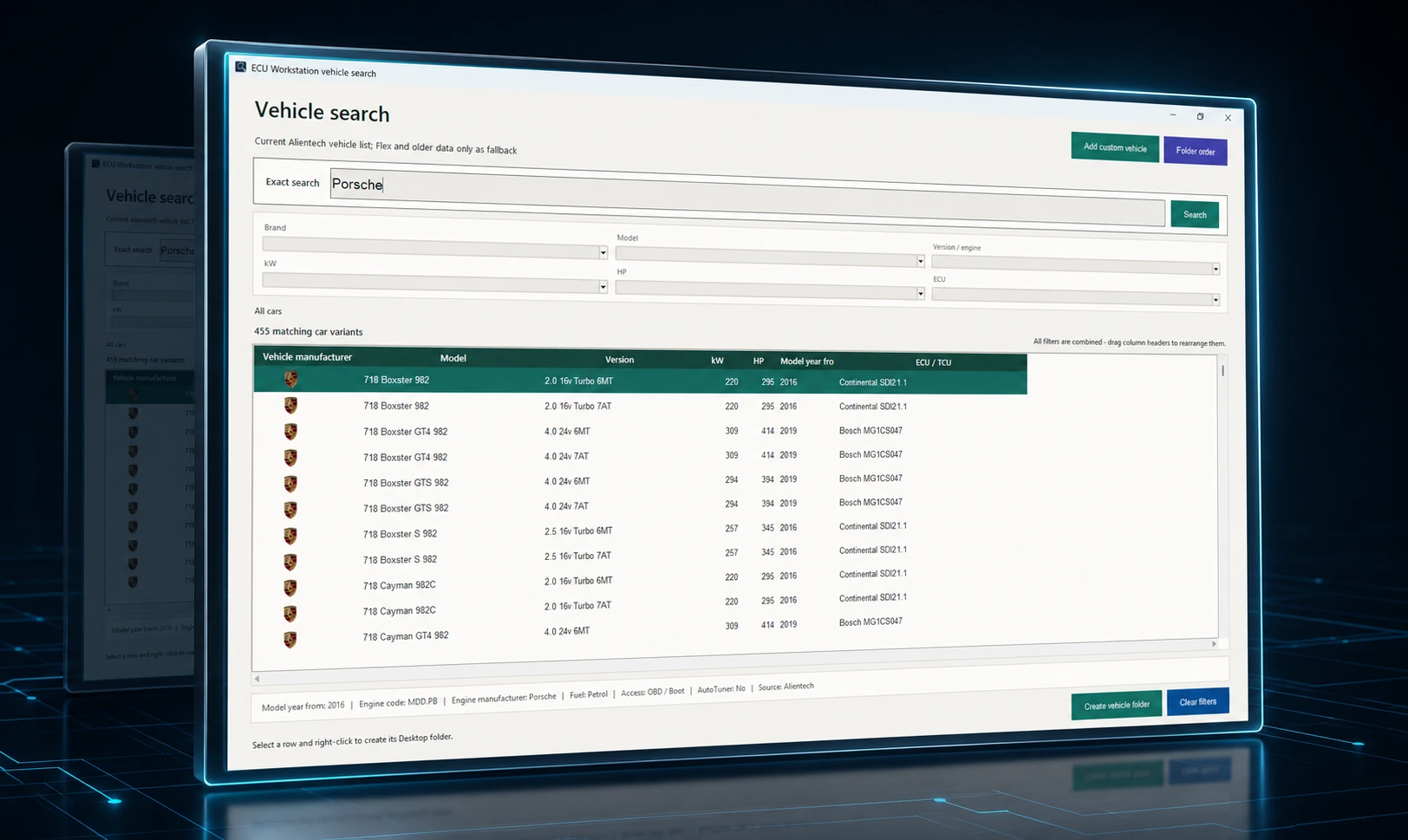
Search by brand, model, engine, year, power and control unit while keeping different ECU variants separate.
Asphalt Motorsport Software
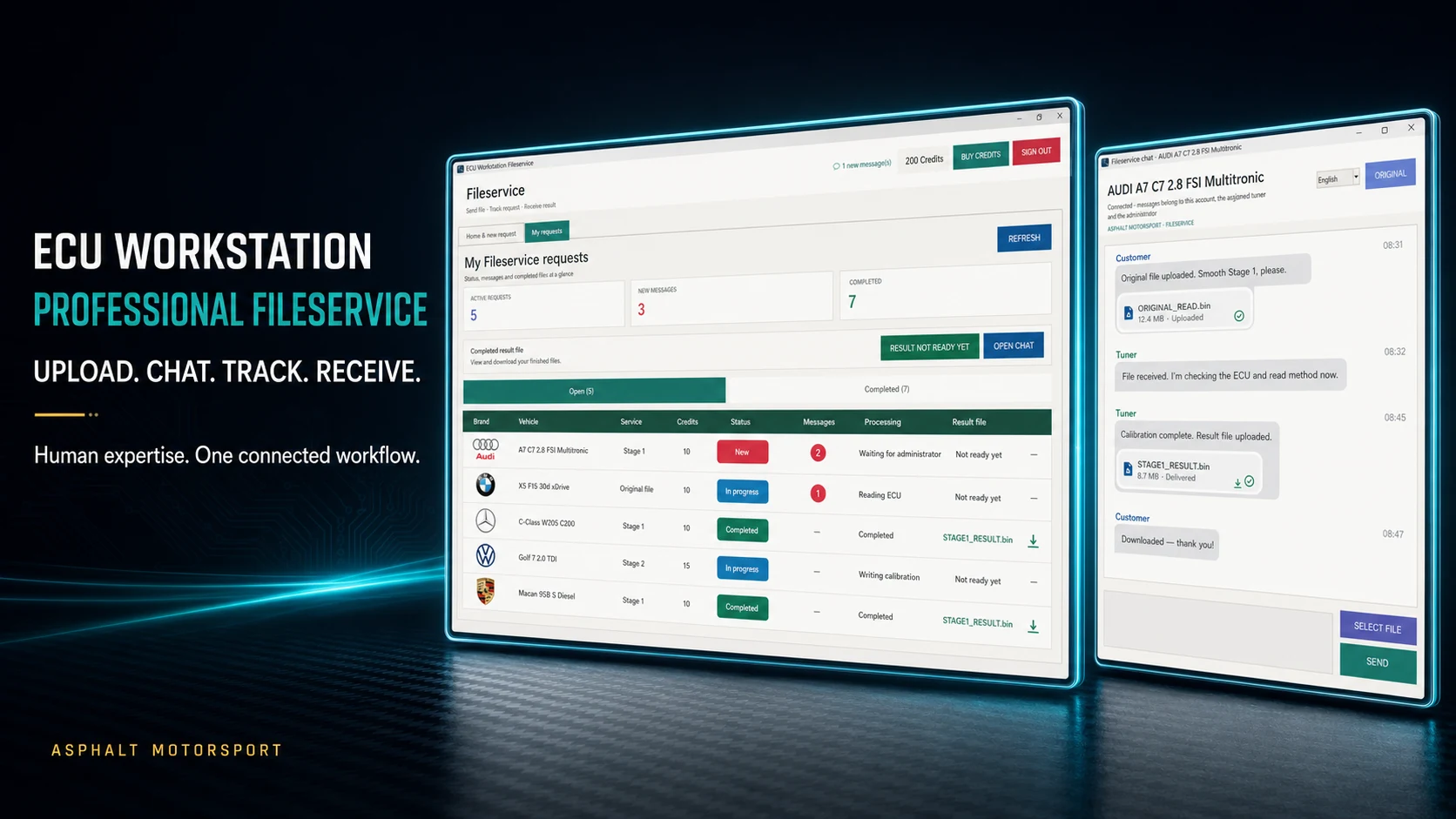
DEECU Workstation connects vehicle selection, original files, professional Fileservice, direct project chat and result delivery inside one Windows application.
Fileservice at the centre
A professional Fileservice should not end after the upload. ECU Workstation keeps vehicle data, original files, requirements, messages, status and the finished result together in one traceable job.
Real application interface
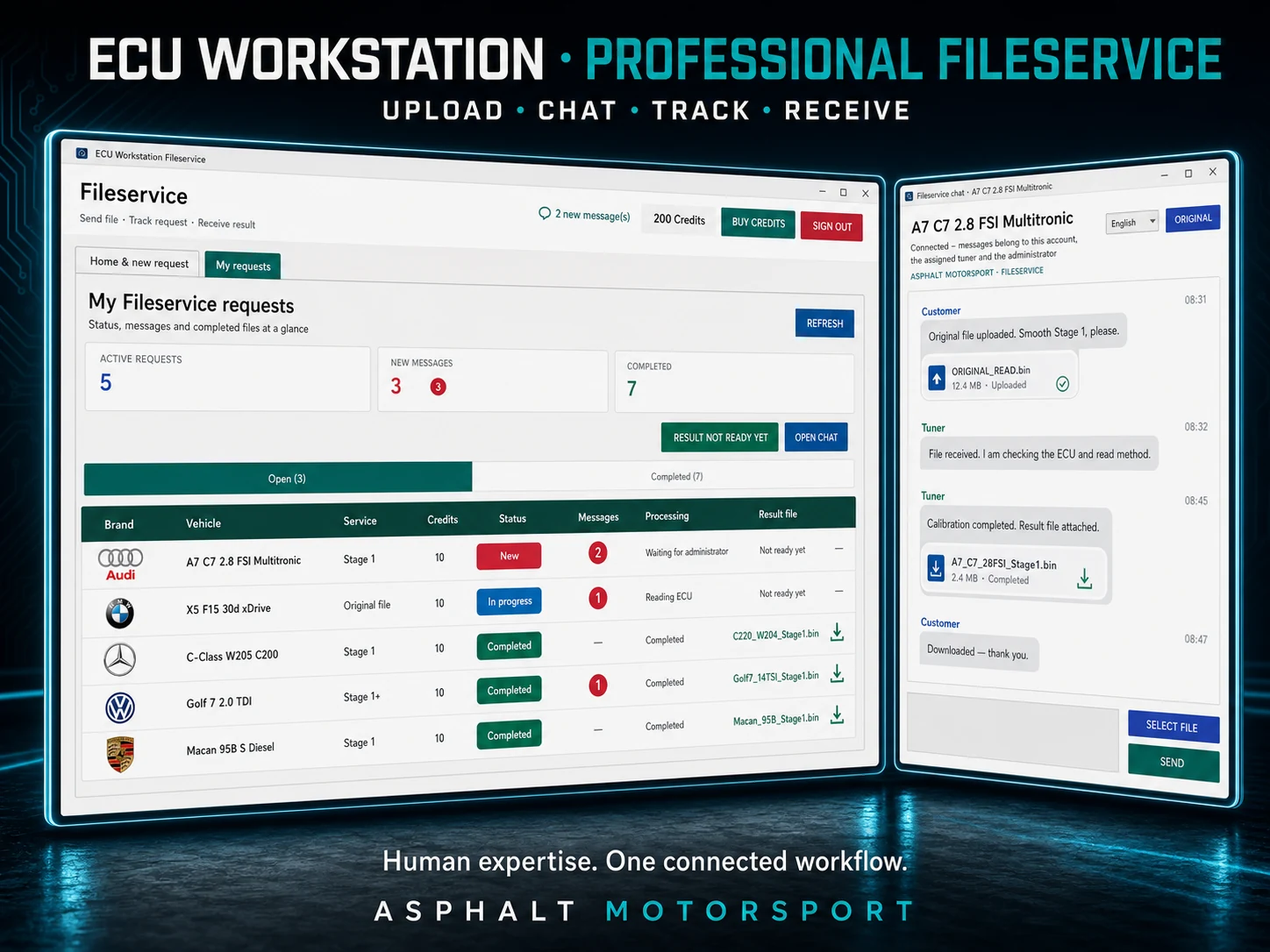
Move through the actual Final-edition workflow. These views form one connected Fileservice journey rather than a gallery of unrelated screenshots.
Why human calibration matters
Automation accelerates the workflow. Technical judgement remains human.
Software can identify files, match data and accelerate repetitive steps. It cannot replace assessment of the specific vehicle, software version, hardware configuration, read method and customer objective.
ECU Workstation automates the organisational workflow while vehicle-specific file work stays with experienced tuning specialists. The result is not an anonymous download, but a traceable job with a direct contact.
More than Fileservice
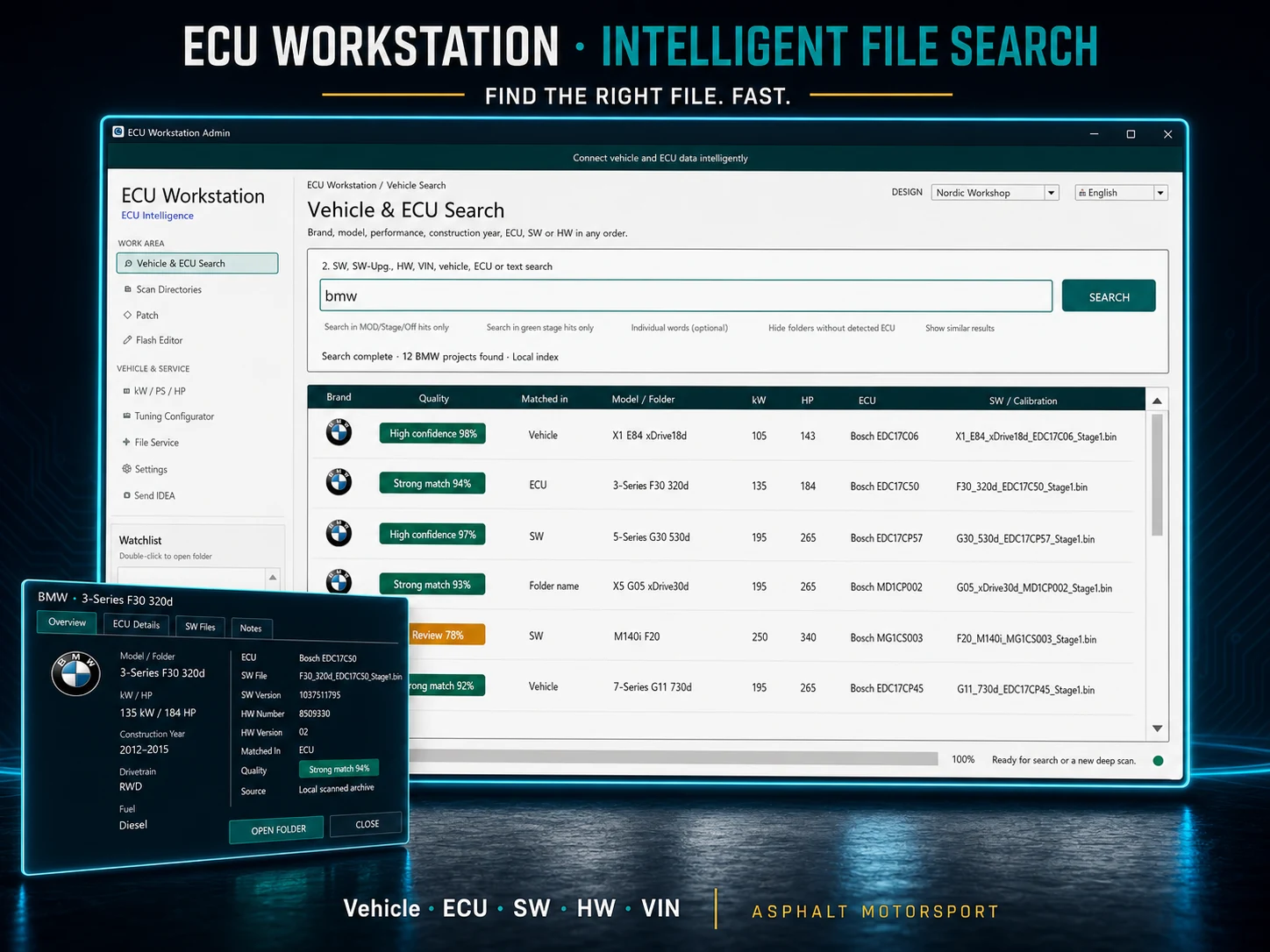
Scan your working directories and find projects through vehicle, ECU, SW, HW, VIN, Stage, MOD or original-file hints. In the Final edition, this index remains local on your computer.
One workspace, many tools
Search by brand, model, engine, year, power and control unit while keeping different ECU variants separate.
Compare original and available reference values for HP, kW and Nm together with engine, fuel, ECU and read method.
Identify changed byte ranges between original and MOD files and transfer them after size, metadata and structure checks.
Inspect and edit flash and hexadecimal data directly in ECU Workstation without switching to a separate application.
Convert power units inside the application with consistent commercial rounding.
Validate manifest, file size and SHA-256 before replacement, with rollback protection if an update fails.
Privacy & retention
The local archive index remains on your computer. Only content you intentionally attach to a Fileservice request or chat message is transferred.
ECU Workstation V1
The current ECU Workstation V1 setup is available from this official Asphalt Motorsport website. Correctly installed versions receive future mandatory updates directly in ECU Workstation.
Transparent security process: We explicitly do not recommend disabling antivirus protection or creating exclusions.
The download and its checksum are now available.
For professional and lawful applications. Performance and tuning data depend on the individual vehicle. Vehicle condition, required approvals and local regulations must be checked before use.
Frequently asked questions
Fileservice, privacy, pricing and product scope at a glance.
No. ECU Workstation structures vehicle selection, upload, communication and delivery. Vehicle-specific technical file work remains with tuning specialists.
The application shows the required credits before submission. Current packages and prices are loaded live from the server. An “Other request” first receives an individual quote.
Yes. Every request has its own chat for messages, questions and file exchange, keeping the complete history with the correct vehicle.
No. The Final-edition file and folder index remains on your computer. Only deliberately selected Fileservice files or chat attachments are transferred.
Request files, result files and chat attachments are retained for up to 14 days from upload. Written chat history remains available for twelve calendar months.
Yes. ECU Workstation integrates a flash and hex editor directly into the workspace, allowing binary and flash data to be inspected and edited without unnecessary application switching.